Download MetaMagic
for Capture One.
MetaMagic for Capture One 0.3.1 is available for Windows. Download the ZIP, extract it, install the .coplugin package, then configure Capture One's XMP metadata preferences once.
MetaMagic for
Capture One 0.3.1.
Dedicated Capture One AI metadata plugin for Windows. macOS is coming soon.
File: MetaMagic-for-Capture-One.coplugin.zip · Windows
From ZIP to plugin
in a few minutes.
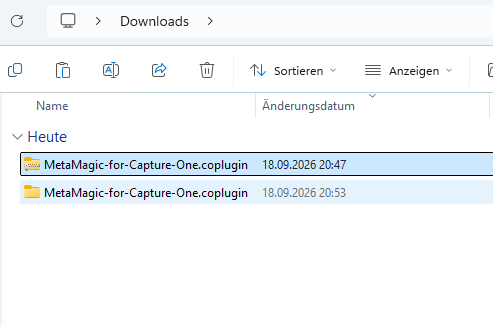
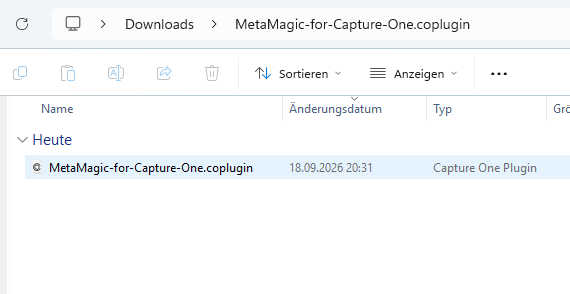
MetaMagic-for-Capture-One.coplugin package.Confirm the plugin in Capture One
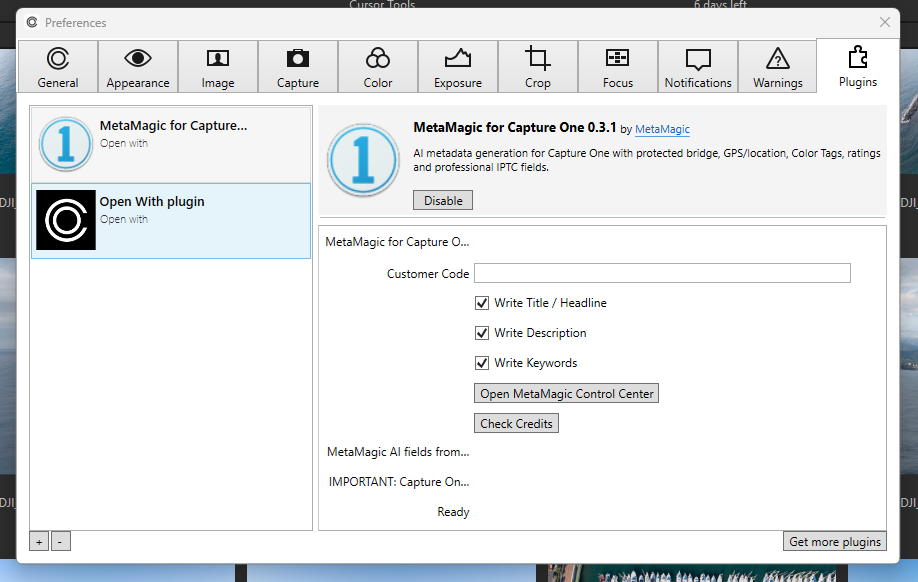
Open Capture One Preferences → Plugins, select MetaMagic for Capture One, enter your Customer Code and open the MetaMagic Control Center.
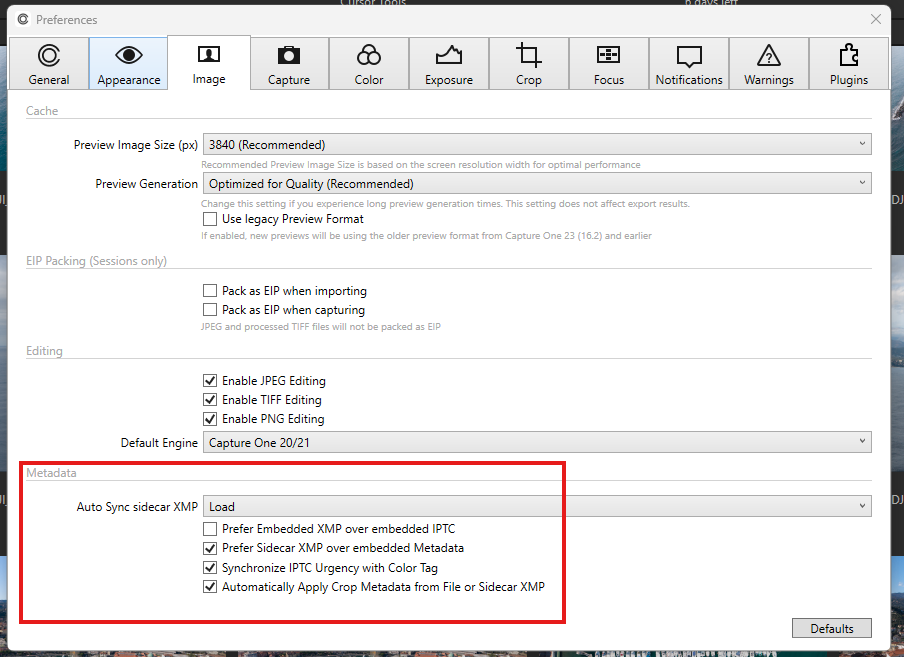
Set XMP Auto Sync to Load
In Capture One Preferences → Image → Metadata, set Auto Sync sidecar XMP to Load and enable Prefer Sidecar XMP over embedded Metadata.
Generate metadata
Right-click a photo → Open With → Generate Metadata with MetaMagic.
Verify the two
important settings.
Use the complete
installation guide.
The guide covers installation, XMP preferences, Customer Code, Control Center, first generation and result verification.