MetaMagic comes to
Capture One.
MetaMagic now has a dedicated Capture One plugin for Windows — bringing AI metadata generation, GPS-aware IPTC fields and Capture One workflow controls directly into the editing environment.
MetaMagic began as a Lightroom Classic workflow, then expanded with a standalone Windows app and Web App. The Capture One plugin is the next step: instead of asking Capture One photographers to leave their editor, MetaMagic now has a dedicated Capture One integration and a separate Control Center profile.
Generate metadata
inside Capture One.
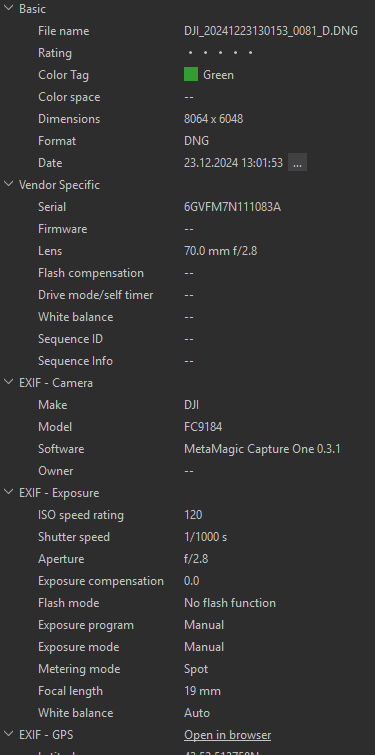
Right-click a photo, choose Open With, then Generate Metadata with MetaMagic. The plugin creates titles, descriptions and keyword sets, writes XMP/IPTC metadata, and reloads the result into Capture One.


Capture One gets
its own workflow controls.
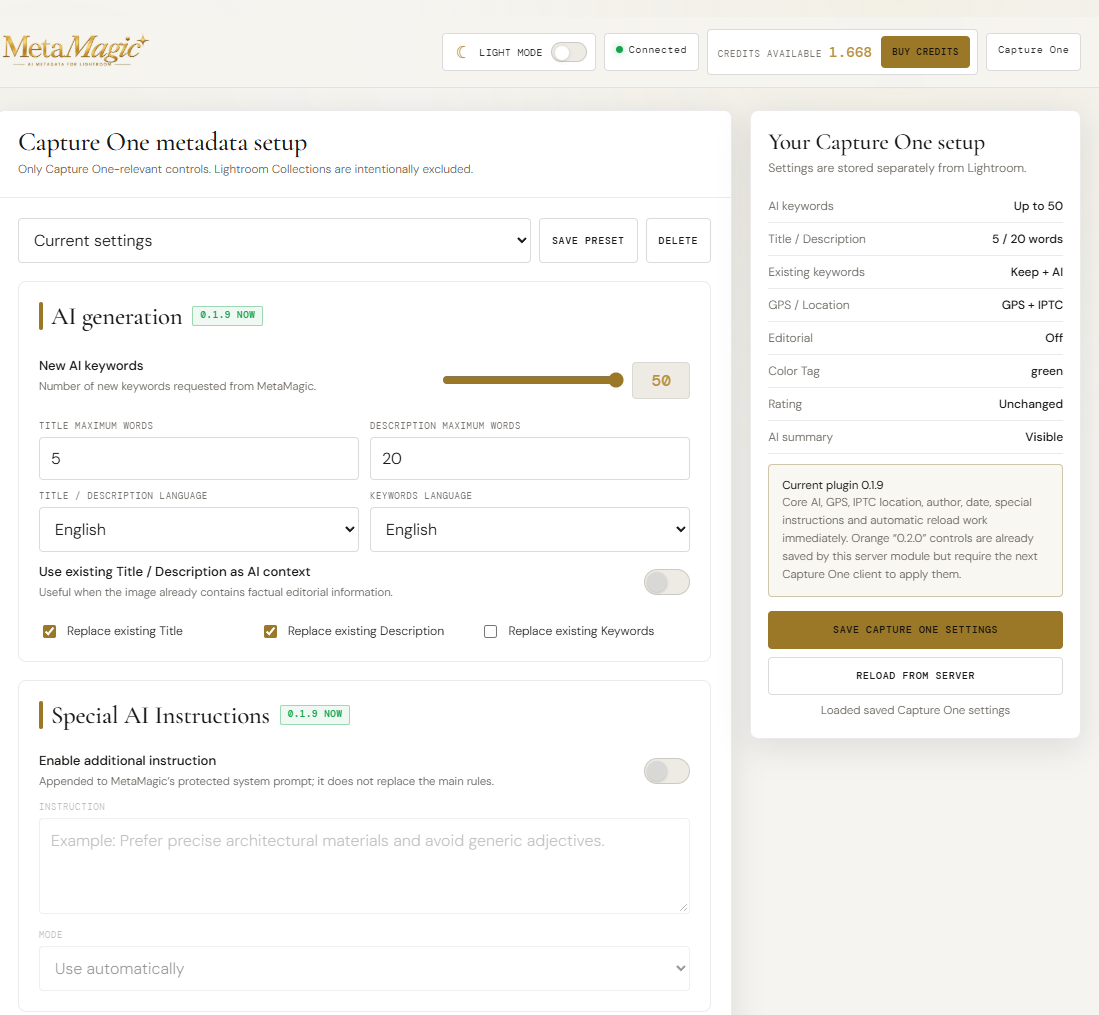
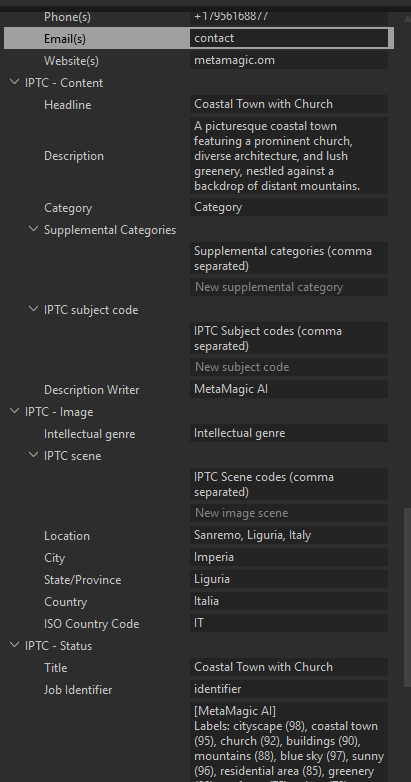
The plugin can apply a configured Color Tag, optionally set a fixed star Rating, use embedded GPS for reverse-geocoded location fields, and write IPTC Creator/Contact/Status metadata. This is deliberately different from Lightroom's catalog-oriented features.
Structured AI analysis
beyond the caption.
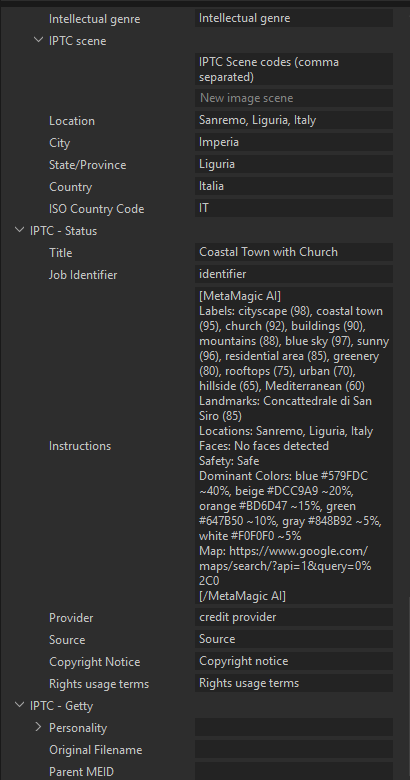
MetaMagic can also return labels, landmarks, locations, logos, faces, OCR text, safety information and dominant colors. The structured result is stored in MetaMagic XMP fields, while a readable summary can be shown in IPTC Instructions.
Why Capture One is
not a copy of Lightroom.
The two plugins share the MetaMagic AI backend, customer account and credits, but each client follows what its host application actually supports. Lightroom keeps Lightroom-only tools such as AI Collections. Capture One focuses on standard XMP/IPTC, Color Tags, Rating, searchable location data and a dedicated Control Center.
Windows first.
macOS next.
Version 0.3.1 is Windows-only. A native macOS Capture One client is planned and will use the same MetaMagic backend and Capture One Control Center profile.
MetaMagic for
Capture One.
Download the Windows plugin or follow the illustrated installation guide.
Capture One is a trademark of Capture One A/S. MetaMagic is an independent product and is not affiliated with or endorsed by Capture One A/S.