Lightroom Classic face recognition
that finally finds your family.
People View keeps missing faces? MetaMagic Faces learns who your children, partner and parents are from a few photos, finds them across your whole catalog and builds a smart collection for every person. Simple, private and affordable.
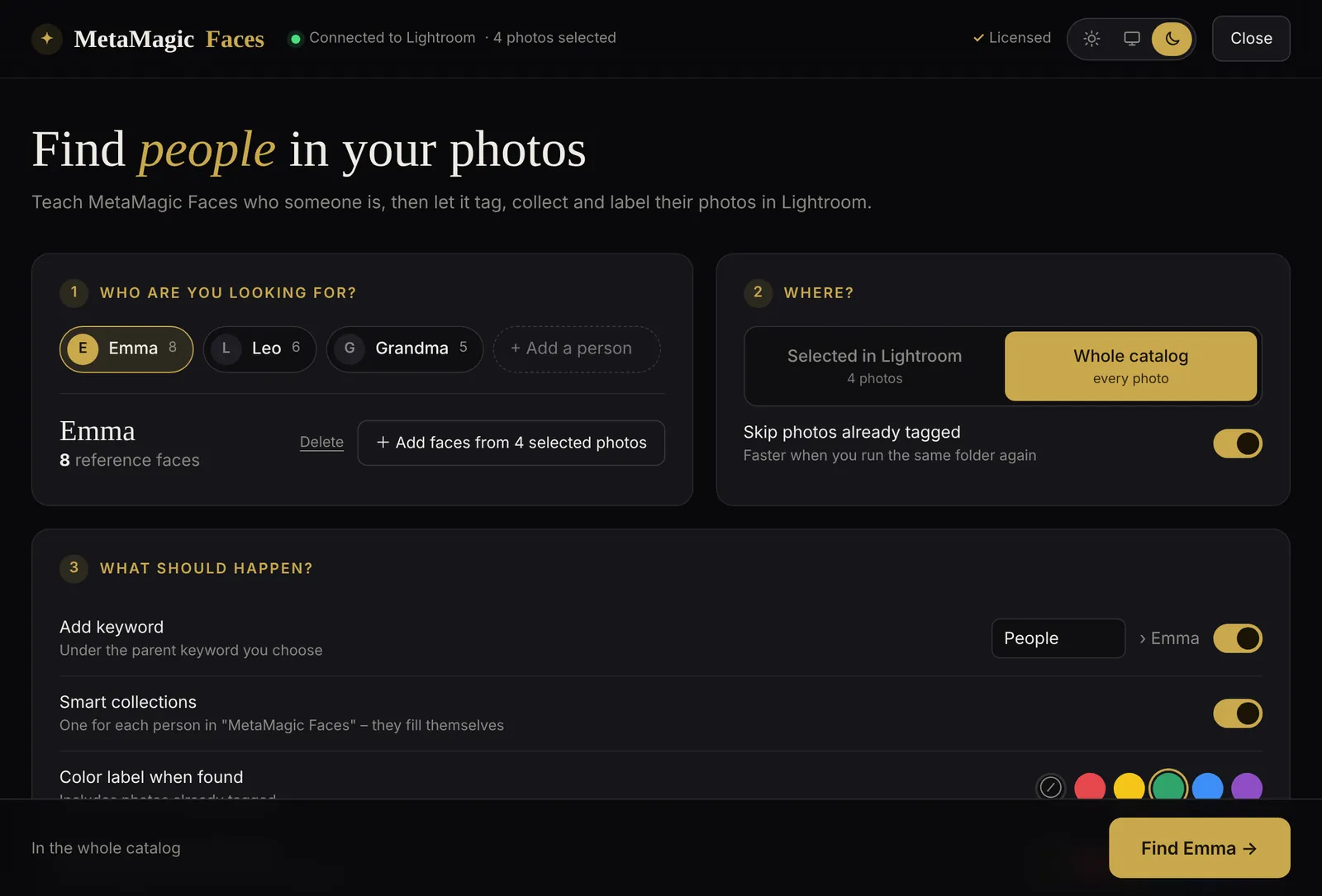
You just wanted an album
with all the photos of your kids.
Lightroom Classic has face detection built in, the People View. On many family catalogs it turns into a chore that never ends.
Hundreds of unnamed faces
The “Unnamed People” pile keeps growing. You confirm faces for an evening, import a new folder and start again.
The same child, many stacks
Babies, toddlers, school kids: the same person ends up split into stacks that look like different people.
Faces it simply misses
Profiles, sunglasses, a face turned to the cake: photos you love never show up under the right name.
Hard to turn into albums
Even when names are right, building a clean album per child, per year, takes manual work in the Library.
Show it a few faces.
It finds the rest.
A family album
that fills itself.
Every person gets a smart collection inside a “MetaMagic Faces” set. It is a normal Lightroom smart collection based on the keyword, so it updates on its own when you tag new photos.
Because names are real Lightroom keywords, you can combine them with everything Lightroom already does: “Emma and Leo”, “Grandma, 2025”, “Leo, five stars” for the printed photo book, or export straight to your phone.


Your family photos
never leave your computer.
Recognition runs locally with modern open face-recognition models. No upload, no cloud album, no face data on our servers. MetaMagic Faces stores only small numeric descriptions of the faces you choose, in your Documents folder.
- Works on JPG, RAW and DNG through Lightroom previews
- Everything happens inside your normal Lightroom catalog
- Undo any change with Edit › Undo
- The licence check sends only your Customer Code
Fair and simple.
Pay once.
MetaMagic Faces
for Lightroom Classic.
Unzip, then in Lightroom Classic choose File › Plug-in Manager › Add. Open it from Library › Plug-in Extras › MetaMagic Faces… and enter your Customer Code.
Already a MetaMagic user? Use the Customer Code you already have. · macOS: coming soon