MetaMagic Faces is now on Mac.
Face recognition for Lightroom Classic.
The local-AI face recognition plugin for Lightroom Classic now runs on Apple Silicon and Intel Macs. Same features as on Windows, same licence, and your photos still never leave your computer.
Since MetaMagic Faces came out for Windows, the question we heard most was simple: “When is the Mac version coming?” It is here. From today you can download MetaMagic Faces for Mac, as a beta, for both Apple Silicon (M1, M2, M3, M4…) and Intel Macs.
What MetaMagic Faces does
You pick a person, show MetaMagic Faces a few photos of them, and it finds that person across your Lightroom Classic catalog. Then it does the work in Lightroom for you:
- A keyword for every person, under a parent keyword you choose (for example People › Emma).
- A smart collection per person that fills itself, ready for a photo book or a slideshow.
- Color labels if you want to see at a glance which photos were found.
- A quick review page for the photos it is not sure about, so you only check the doubtful ones.
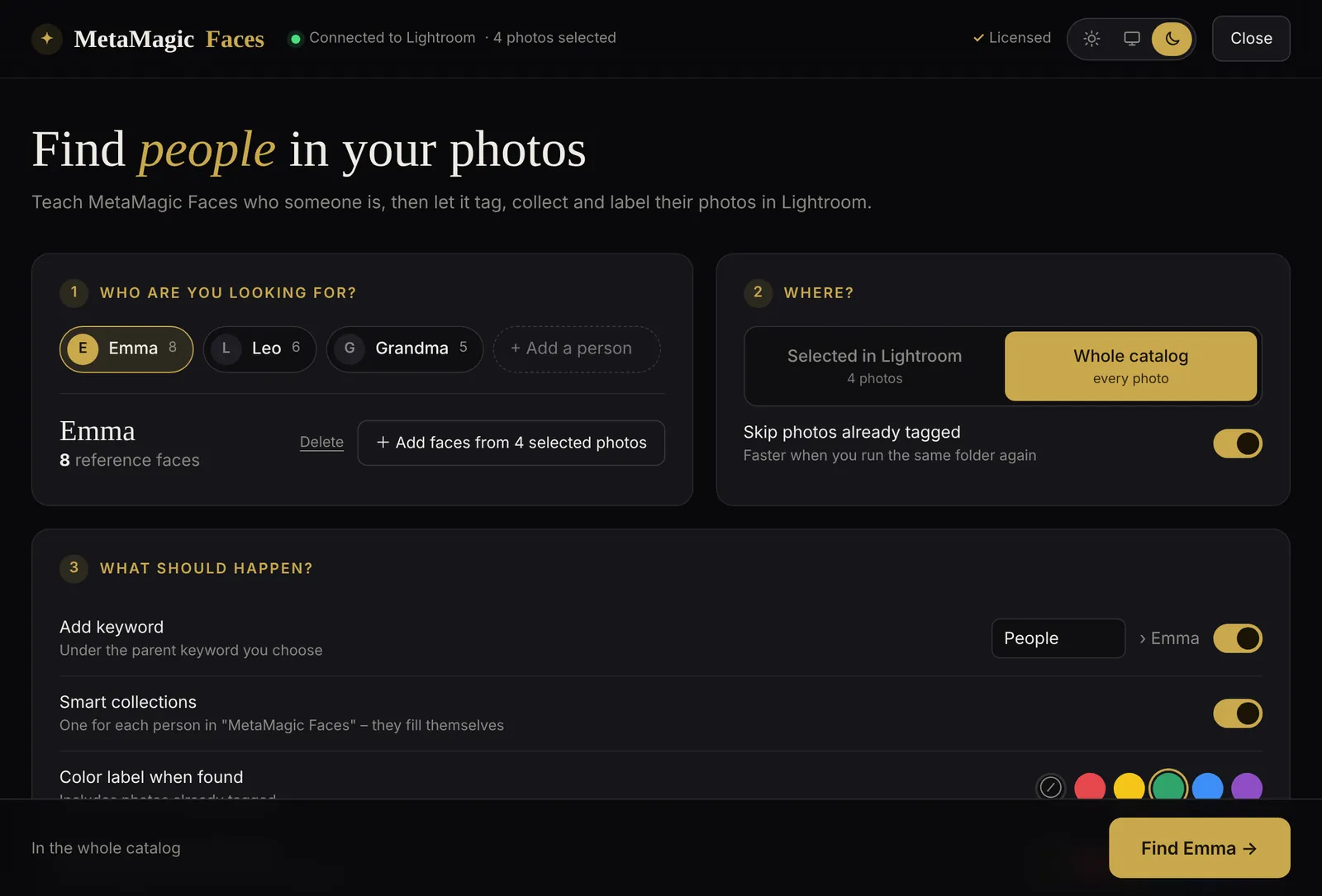
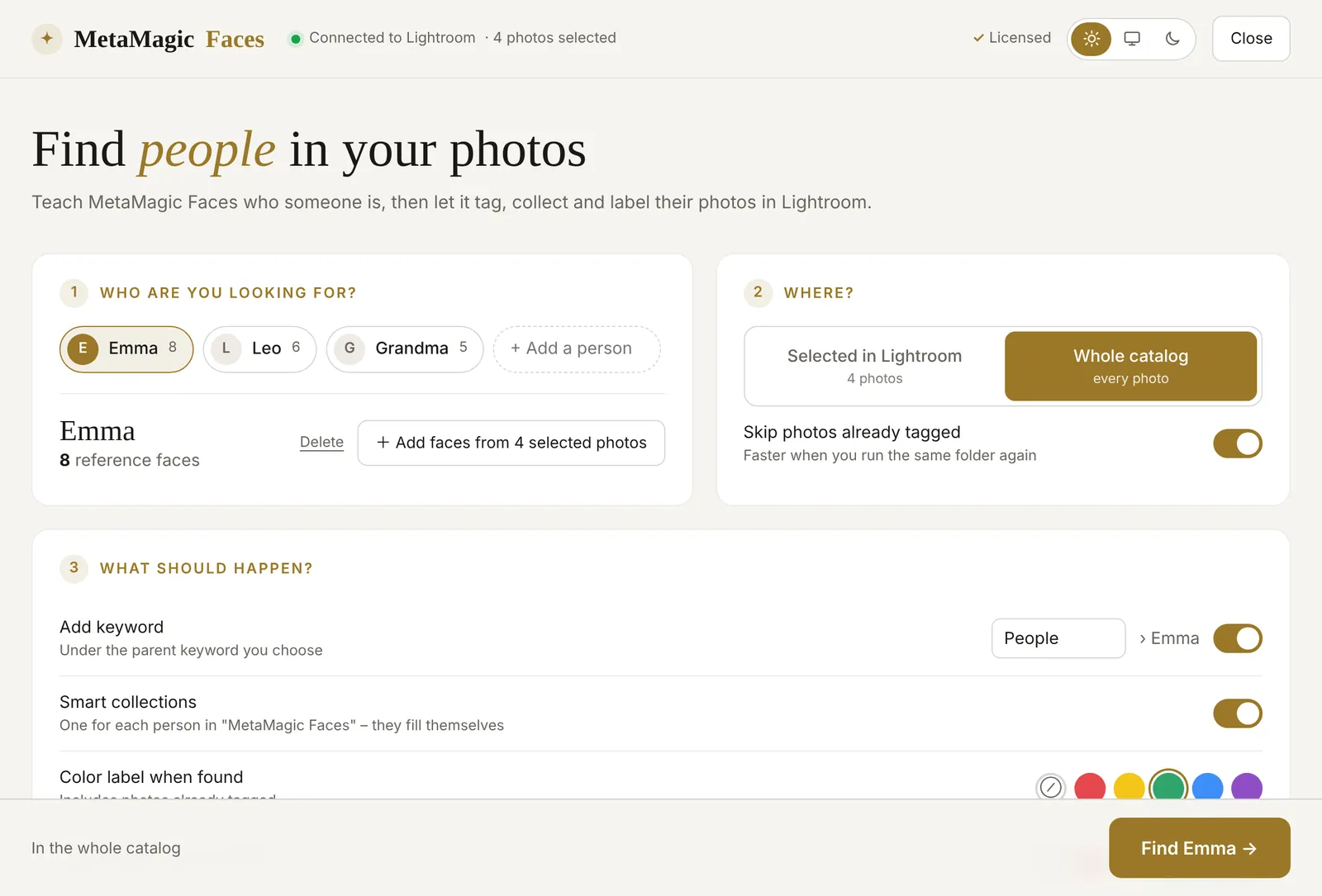
Face recognition runs entirely on your Mac. No photo and no face is uploaded, not to us and not to anyone else. Only the licence check goes online, with your Customer Code.
Apple Silicon or Intel: which download?
There are two Mac downloads, because Apple Silicon and Intel Macs need a different engine. To see which Mac you have, open the Apple menu › About This Mac:
- It says Chip: Apple M1, M2, M3, M4… → take Mac · Apple Silicon.
- It says Processor: Intel → take Mac · Intel.
Not sure? Just try. If you take the wrong one, the plugin tells you which download you need instead of failing silently.
Install on Mac in two minutes
Download and unzip
Download the Mac version from the MetaMagic Faces page, double-click the zip and move the folder MetaMagicFaces.lrplugin somewhere permanent, for example Documents › Lightroom Plugins.
Add it to Lightroom Classic
In Lightroom Classic choose File › Plug-in Manager › Add, select the folder and click Done.
Open it
Select a few photos of a person, then Library › Plug-in Extras › MetaMagic Faces. The very first start takes a little longer, because the engine unpacks itself once.
Start the free trial
Enter your MetaMagic Customer Code to start the 14-day trial. No code yet? Get one for free. If you already use MetaMagic, it is the same code.
Why beta, and how to tell us about a problem
Every Mac build is tested automatically on real Apple Silicon and Intel Macs before it goes online. Still, every Lightroom setup is a little different, and the Mac version is brand new. That is why we call it a beta for now, and why we made reporting a problem as easy as possible:
- In Lightroom: Library › Plug-in Extras › MetaMagic Faces – report a problem…
- When something goes wrong, the error window has a Report this problem button with the error already filled in.
- In the MetaMagic Faces page, the flag button at the top does the same.
You describe what happened in a sentence, and you can add the technical details (Lightroom and macOS version, the plugin log) with one tick. No photos and no names of people are ever sent. Every report reaches us directly, and we answer by e-mail if you leave an address.
Also new in version 0.7
- Several people together. Choose two or more names to find the photos where they appear together. MetaMagic Faces creates a smart collection for the group, for example Jayden & Arya.
- Your account at a glance. The top of the page shows your Customer Code and whose licence it is.
- Report a problem from Lightroom, from an error window or from the page, as described above.
- Automatic updates on Mac too, for the right version of your Mac.
Price and licence
Nothing changes: MetaMagic Faces costs $24 once, with no subscription and no credits, and you can try every feature free for 14 days. One licence works on up to 3 of your computers, so a Windows PC and a Mac can share it.
Until December 1, the code MAGIC25 takes 25% off at checkout.
Find your family
in Lightroom Classic.
14-day free trial, then $24 one-time. Mac (Apple Silicon and Intel, beta) and Windows.
FAQ
Adobe and Lightroom are trademarks of Adobe Inc. Apple, Mac and macOS are trademarks of Apple Inc. MetaMagic is an independent product and is not affiliated with or endorsed by Adobe or Apple.
Related: Lightroom Classic face recognition not working? 7 fixes